Manage Zones
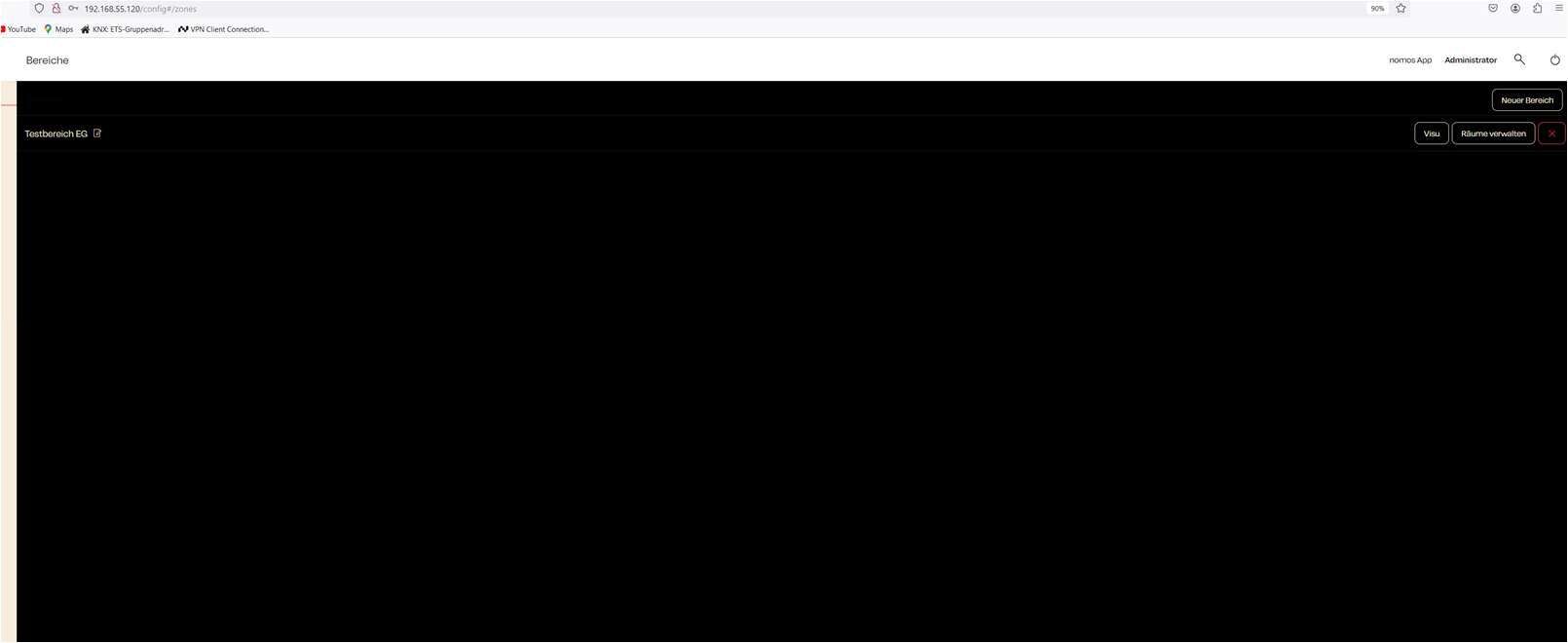
After creating a new zone in the nomos system Controller, it appears in the zone overview. From here, you can perform various actions to manage the zone.
Zone Management:
- Created Zone:
- The newly created zone is displayed in the overview, for example, „Testbereich EG“.
- This zone can now be further configured and populated with rooms.
- Available Actions:
- Next to each zone, there are several buttons to manage the zone:
- Visu: The visualization button allows you to access and edit the graphical representation of the zone. Similar to room visualization, you can upload images and visually place rooms.
- Manage Rooms: This button enables you to assign rooms to this zone or remove rooms from it.
- Delete (X): Clicking the "X" allows you to delete the zone if it is no longer needed.
- Next to each zone, there are several buttons to manage the zone:
- Edit Zone:
- Next to the zone's name, you'll find a pencil icon. Clicking this icon allows you to edit the zone's name if necessary.