Scenes
The Scenes feature allows you to save and configure individual settings and states for your smart home devices. These predefined scenarios can then be activated with a single tap via the app (Scene Button).
Optimize efficiency and comfort in your home by automating routine processes or device states, simplifying them through a single operation.
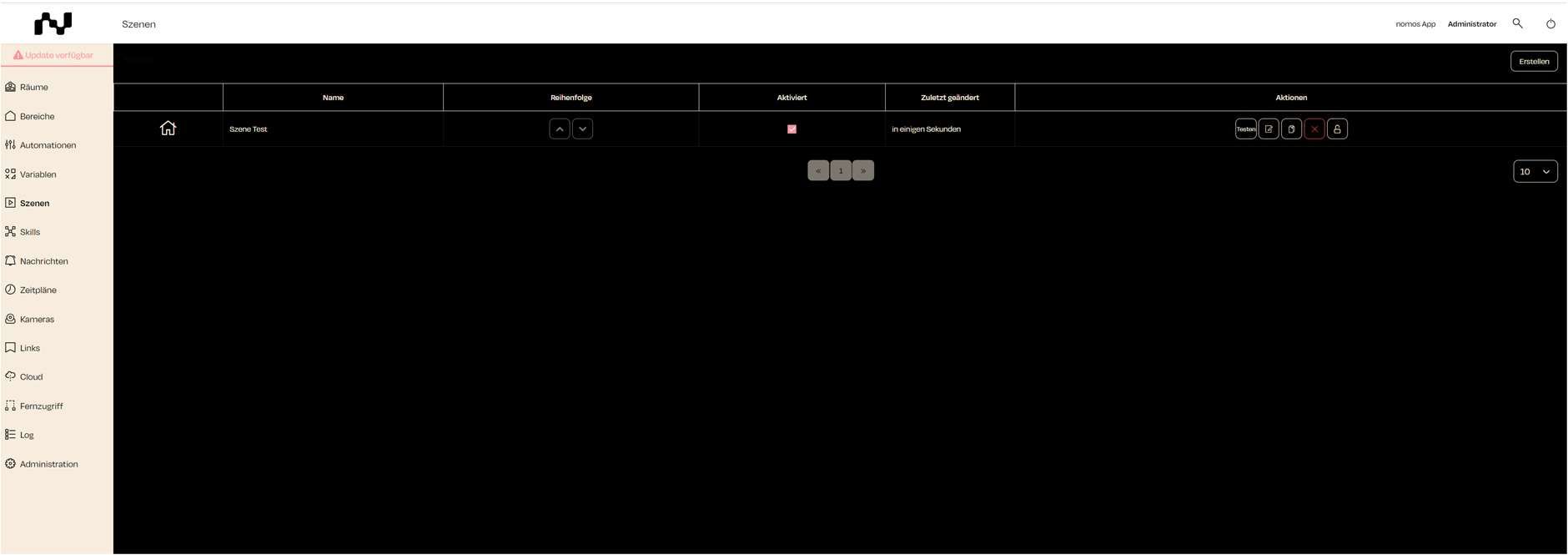
Scene Overview:
- Name: Displays the name of the respective scene.
- Order: Indicates the sequence in which scenes are listed in the app view.
- Enabled: Shows whether the scene is currently active.
- Last updated: Indicates when the scene was last changed.
- Actions: The actions column contains several buttons:
- Test: Allows you to test the scene directly.
- Edit: Enables editing of the scene.
- Delete: Deletes the scene.
- Lock: Locks the scene to prevent further changes.
This overview offers a simple way to manage the created scenes and to edit or test them if needed.