

DMX/Art-Net™
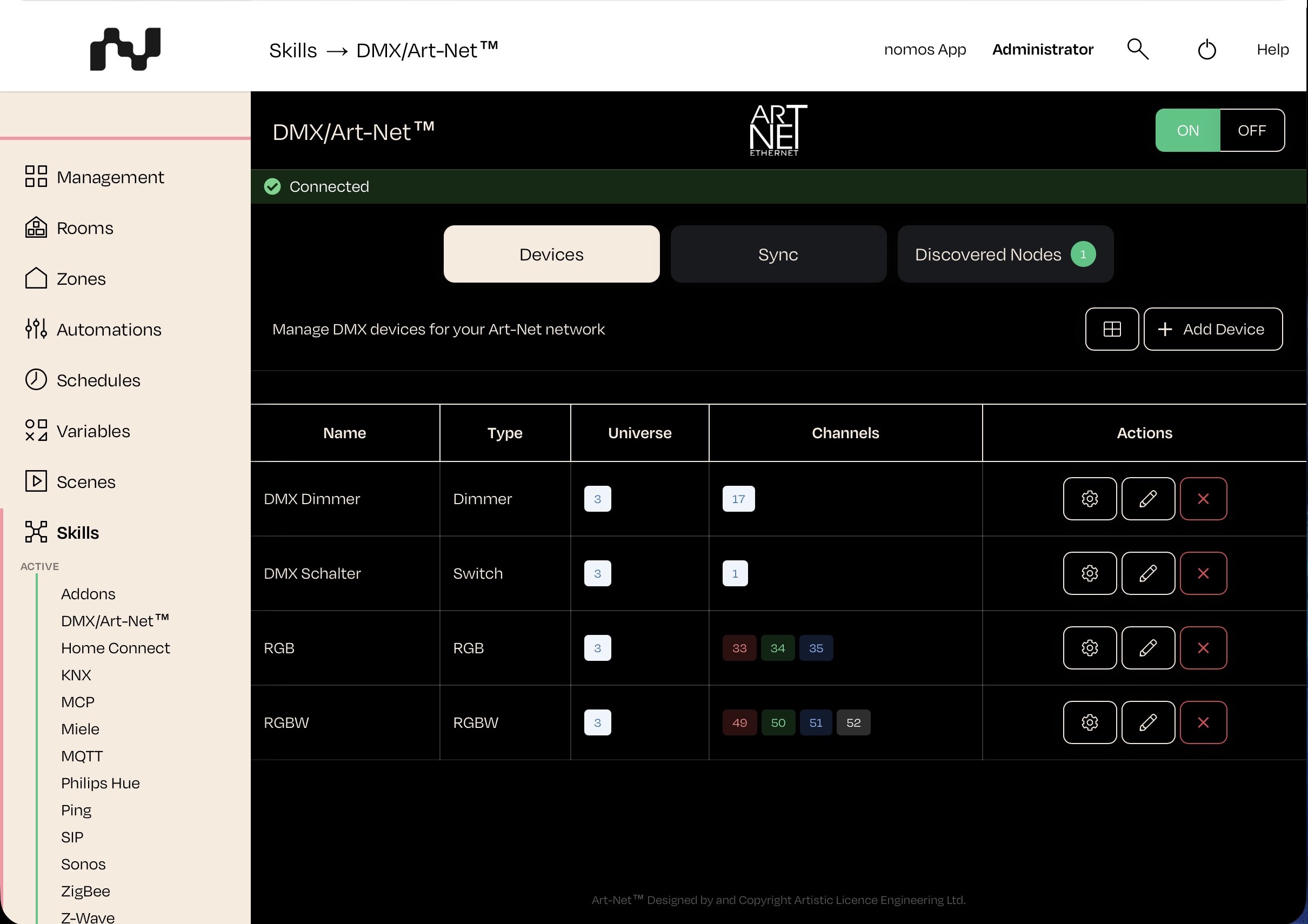
With the DMX integration (Art-Net™) you can control DMX-based lighting through the nomos controller and use it in scenes and automations.
Steps to Set Up:
Activate the DMX integration:
- Click the “On” button to activate the DMX integration.
- The nomos controller will then automatically search your network for Art-Net nodes (interfaces). The devices it finds appear under the “Discovered Nodes” tab.
Add a device:
- Switch to the “Devices” tab and click “Add Device”.
- Choose the matching type: Switch, Dimmer, RGB or RGBW.
- Assign the DMX universe and the channel(s) (1–512) that correspond to the address of your fixture.
- Note: Set the DMX address (universe/start channel) on the fixture itself before assigning it.
Control DMX devices:
- Once added, you can control the devices directly in the nomos app – for example switching on/off, dimming the brightness, or adjusting colors (RGB/RGBW).
Universe synchronization (optional):
- Under the “Sync” tab you can mirror an input universe onto an output universe.
Use DMX in automations:
- Include DMX devices in scenes and automations, for example to switch lighting moods based on schedules or events.
INFO
Important: Art-Net nodes must be on the same network as your nomos controller to be discovered.
WARNING
No nodes found? Check the network connection and the power supply of the Art-Net interfaces.
INFO
Reachability: The reachability of the DMX devices depends on the connection to the controller. After a controller restart, the DMX devices automatically report as reachable again.
Art-Net™ Designed by and Copyright Artistic Licence Engineering Ltd.