

Direct-VPN
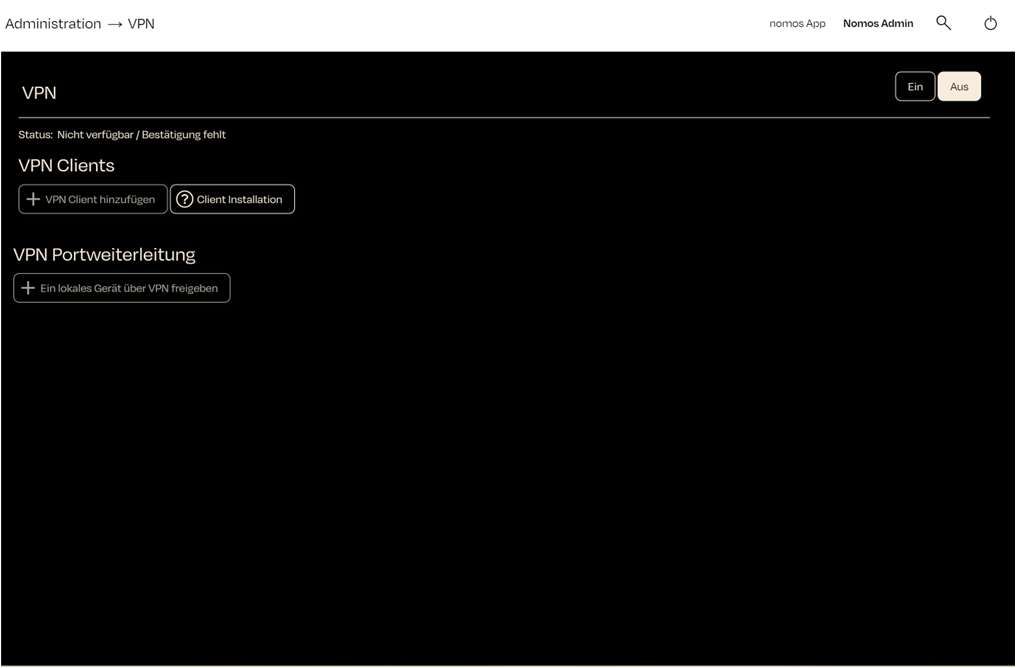
With the Direct VPN you can securely reach your nomos system controller from outside your local network. The connection is based on WireGuard: every device that needs access receives its own VPN configuration.
INFO
The Direct VPN provides permanent access via your own VPN clients — usable by you or an authorised person such as your integrator. For simple, on-demand support access without setting up a client, there is the separate Support VPN.
Enabling the Direct VPN
- Click "On" at the top right.
- Enter a Partner Name and confirm. The status changes to "Waiting for confirmation" until the connection is established.
- Once the connection is up, the banner shows the status "Available" together with the assigned IP Address.
WARNING
When you turn the Direct VPN off, all configured VPN clients are removed.
Adding a VPN Client
A client is a device (for example a laptop or smartphone) that accesses the controller through the Direct VPN.
- Click "Add Client to VPN" and assign a name.
- A WireGuard configuration is generated and displayed as a QR code. Scan it with the WireGuard app or download the configuration file (
.conf). - The VPN Clients overview lists all clients along with their online status. You can remove individual clients there.
WARNING
The configuration can only be retrieved once. After you close the window it can no longer be downloaded — in that case simply create a new client.
INFO
You can get the free WireGuard app for your device at wireguard.com/install.
VPN Port Forwarding
Using "Expose local device to VPN" you make a single device from your local network reachable over the Direct VPN. This lets you access specific devices individually without exposing your entire network.
INFO
A USB serial adapter connected to the controller can be shared via USB Serial over VPN — for example for remote programming.