Assign Devices to a Room
In the nomos system Controller, you can move devices between different rooms to ensure structured organization and control. This function allows you to assign each device to the appropriate room, simplifying management.
Manage Devices:
List of Available Devices:
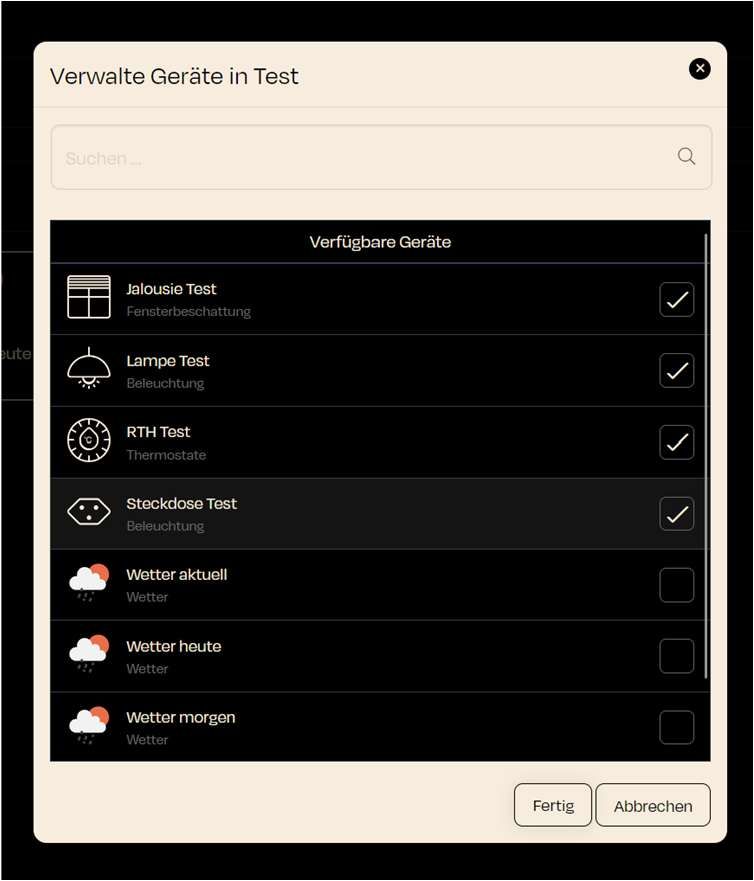
- In the "Manage Devices in [Room Name]" window, a list of devices currently not assigned to any room is displayed.
- For example, the following devices might be available:
- Jalousie Test (Window Shading)
- Lampe Test (Lighting)
- RTH Test (Thermostats)
- Steckdose Test (Lighting)
Select Devices:
- Each device has a checkbox on the right. By checking the box, you can assign the device to the current room.
Search Devices:
- A search bar is available to help you find specific devices, especially useful when the list of available devices is long.