

Wiser by Feller
This integration allows you to connect smart devices from Feller to your Smart Home and control them using the nomos system Controller.
Setting up Wiser Connection:
Feller-Wiser App:
- Ensure that the entire system is neatly integrated and that the project in your Feller App is fully completed.
Activate Wiser by Feller integration:
- Click the on button to activate the integration. This will start searching for available Wiser devices.

Add WLAN Device:
- On the main page of the Wiser integration, there is a button labeled "Add WLAN Device" Click on it to start the process.
Enter Host Address:
- A pop-up window will appear where you need to enter the device's IP address. In this example, the host address is 192.168.1.13.
- Enter the correct IP address of the Wiser device you want to connect.
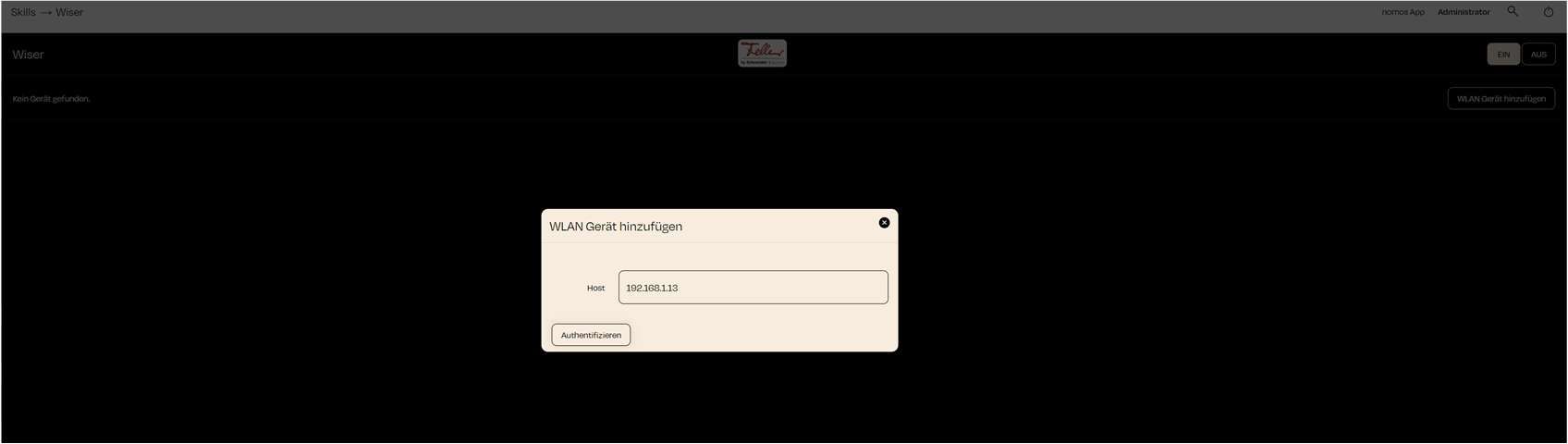
Authenticate:
- Once you have found the correct IP address for your Wiser WLAN switch, click on "Authenticate" to initiate the connection. The nomos system Controller will check the IP address and connect the device if the IP is correct and the device is reachable.
- After you start the "Authenticate," the WLAN switch will begin to blink.
- By pressing the blinking WLAN switch once, you confirm the "Authenticate" process, and the Wiser system will connect with the nomos system Controller.
Successful Connection:
- After successful authentication, the device will appear on the main page of the Wiser integration.

INFO
Important Notes:
- Correct IP Address: Make sure to enter the correct IP address of the device, which you can find on your router, for example.
- Authentication: Ensure that the device is connected to the WLAN network and is reachable to successfully complete the authentication process.
- Make sure your Wiser devices are properly installed and connected to the correct WLAN.
- Ensure all your Wiser devices are fully set up in the Feller App before executing the integration with the nomos system Controller.