

Keyboard Shortcuts
Much of the configuration interface can be used with the keyboard. The shortcuts are the same in Safari, Chrome, Edge and Firefox. On a Mac you use the Command key ⌘, on Windows and Linux the Ctrl key.
Opening the overview
The ? key opens an overview of all shortcuts while the cursor is not in an input field. The keyboard icon at the very bottom of the sidebar, to the right of the appearance setting, opens the same overview. It shows the keys of your system: ⌘ on a Mac, Ctrl elsewhere.
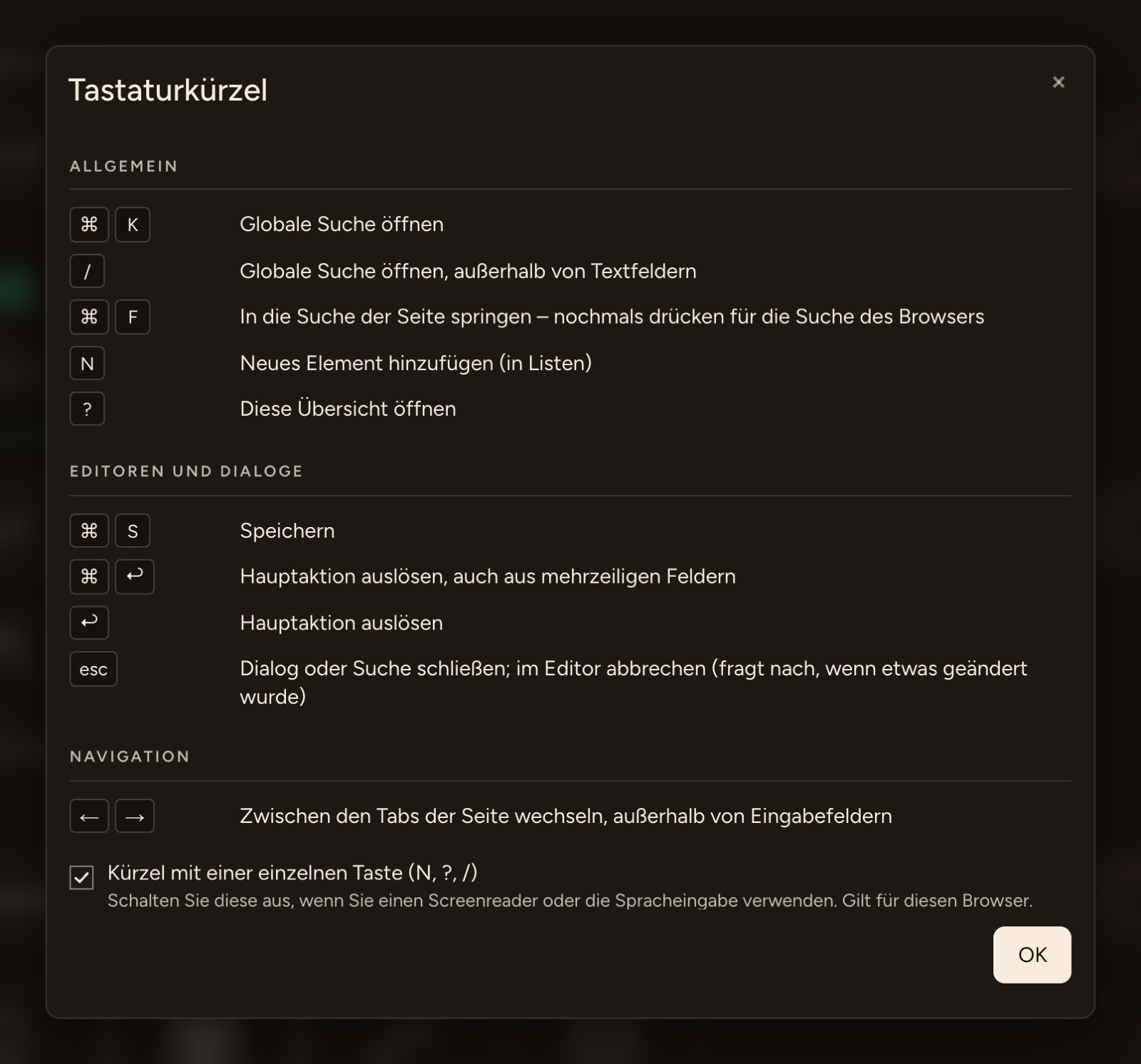
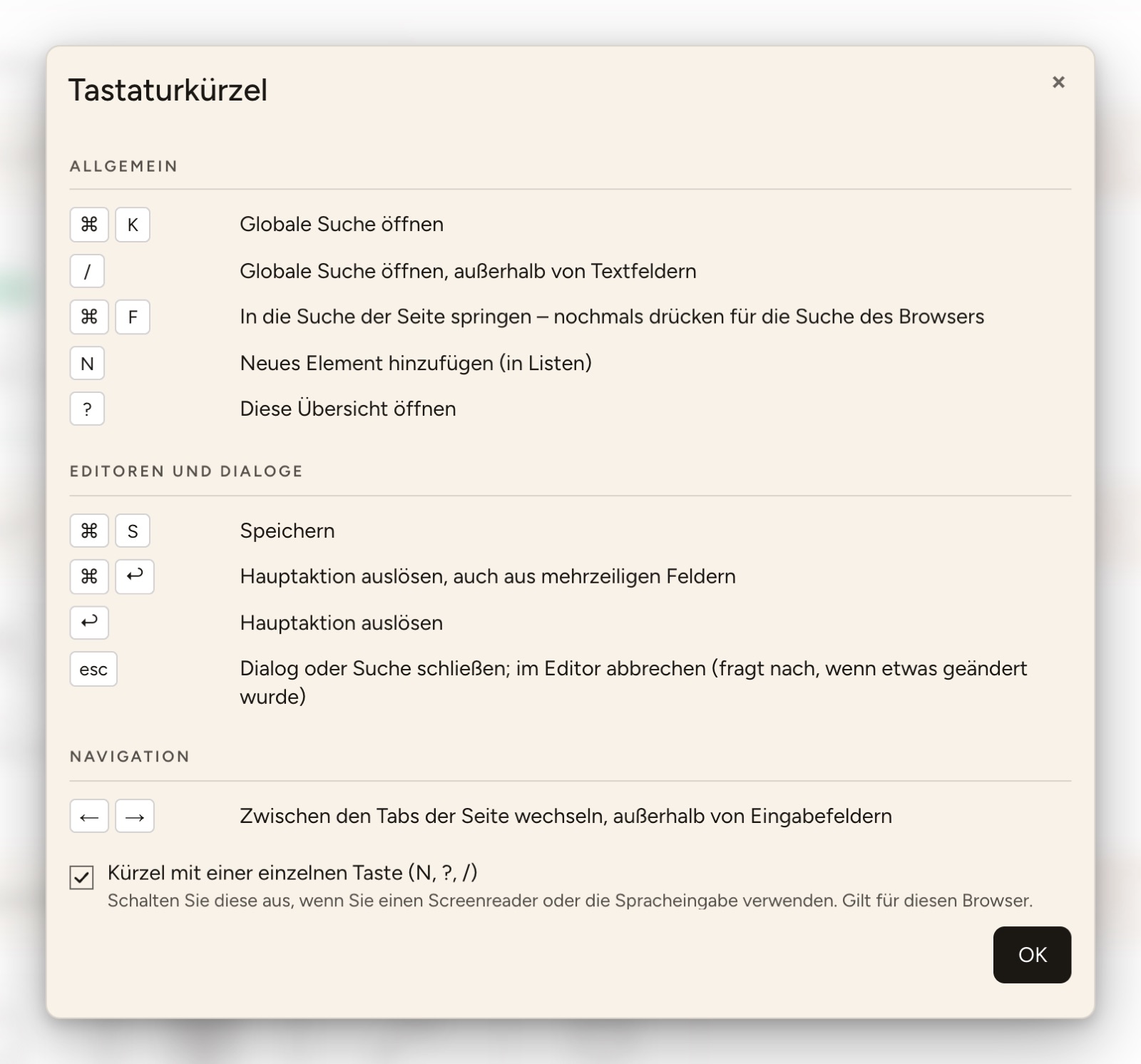
Buttons with a shortcut also name it when you point at them with the mouse, e.g. Save (⌘S) or New Scene (N).
General
| Mac | Windows / Linux | Effect |
|---|---|---|
| ⌘K | Ctrl+K | Opens the search in the navigation bar. |
| / | / | Also opens the search while the cursor is not in an input field. |
| ⌘F | Ctrl+F | Jumps into the search field of the list or dialog. If the cursor is already in it, a second ⌘F or Ctrl+F opens the browser's own find. On pages without a search field of their own it stays the browser's find. |
| N | N | Creates a new item in the current list, e.g. a scene, a variable or a room, like a click on the + … button at the top right. In skills, N opens adding devices or gateways. |
| ? | ? | Opens the overview of the keyboard shortcuts. |
INFO
There is no ⌘N or Ctrl+N for New: in every browser these keys open a new window and never reach the page.
In editors and dialogs
| Mac | Windows / Linux | Effect |
|---|---|---|
| ⌘S | Ctrl+S | Saves what you are editing. In a dialog, ⌘S triggers the main button, e.g. Add or Next. ⌘S never confirms a deletion. |
| ⌘↩ | Ctrl+Enter | Triggers the main action, also from multi-line fields such as a note, where Enter starts a new line. Also confirms a deletion. |
| ↩ | Enter | Triggers the main action, e.g. Save or Next. |
| Esc | Esc | First closes whatever is on top: a dialog, the search, an open menu or the full-screen view. If none of these is open, Esc cancels the editor like a click on Cancel. |
- A dialog comes first: while a dialog is open, the shortcuts only act in that dialog. ⌘S then saves the dialog, not the page below; the search, N and ? are blocked until the dialog is closed.
- Only once: if the button is disabled or saving is already under way, the shortcut does nothing. Holding ⌘S down saves only once.
- Esc asks when something changed: if you have already entered or changed something in the editor, Esc first asks Discard changes?. Discard cancels; Cancel or another Esc lets you continue. Without changes, Esc cancels at once.
Navigation
| Mac | Windows / Linux | Effect |
|---|---|---|
| ← → | ← → | Switches to the previous or next tab of the page, e.g. in a device's settings, while the cursor is not in an input field. If an editor has unsaved changes, the tabs stay put. |
| fn+← fn+→ | Home End | Switches to the first or last tab while a tab is selected. |
As usual, the Tab key moves from one field or button to the next, ⇧ (Shift) and Tab back.
Turning off single-key shortcuts
N, ? and / work without a modifier key. If you use a screen reader or speech input, such shortcuts can get in the way. Then clear the checkbox Single-key shortcuts (N, ?, /) in the overview.
- The setting applies to this browser. By default the shortcuts are on.
- You then open the overview with the keyboard icon in the sidebar.
- ⌘K, ⌘F, ⌘S, ⌘↩, Enter, Esc and the arrow keys stay.