

ZigBee Settings
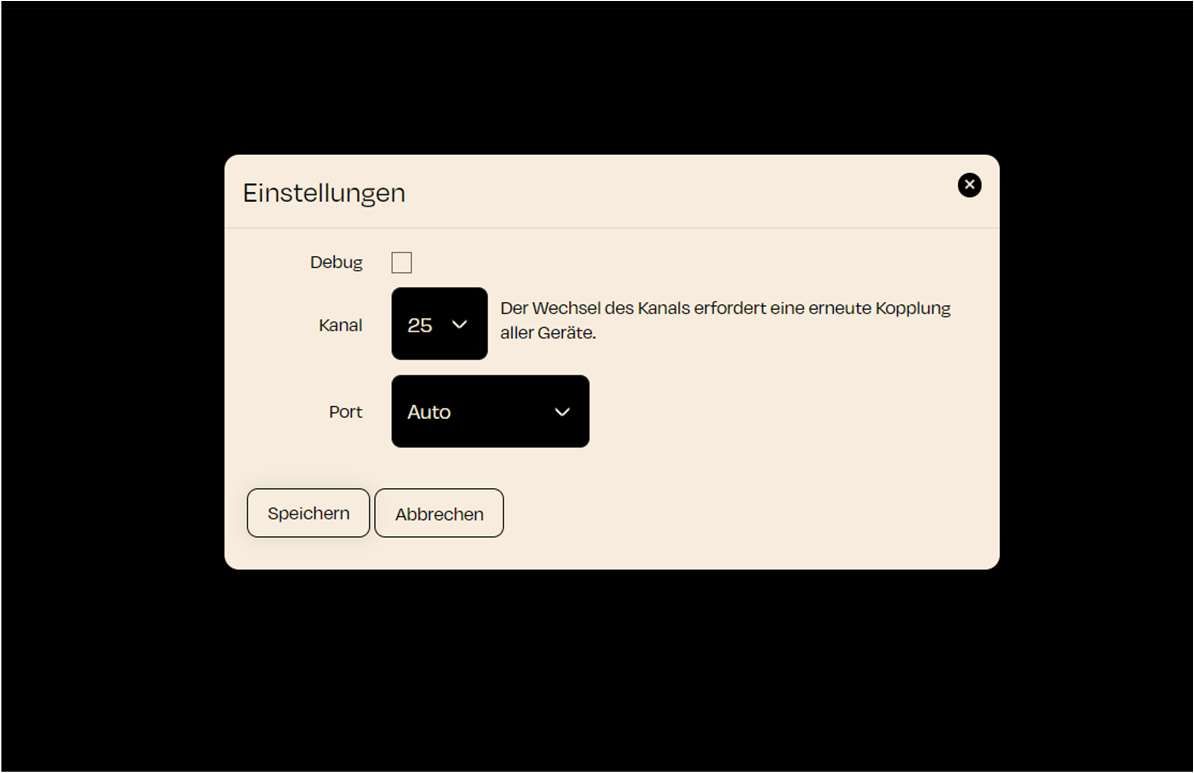
Below are the settings available for the ZigBee controller:
Debug Mode:
- With the "Debug" option, you can activate the debugging function. This feature is useful when you need detailed logs for troubleshooting.
Channel Settings:
- You can select the ZigBee channel that the network will operate on here.
- By default, channel 25 is set. This is often a good channel to avoid interference with other wireless networks.
- Important Note: Changing the channel requires you to re-pair all ZigBee devices!
Port Selection:
- The ZigBee port is set to "Auto" by default, meaning the correct port will be selected automatically.
INFO
Notes:
- Make sure that the ZigBee hardware is correctly set up and that the nomos controller has access to it in order to manage the ZigBee devices successfully.
- If the hardware is not connected yet, check if the ZigBee Gateway is properly installed and active.
- The "Reset" option should only be used if problems occur or if you want to create the entire configuration from scratch.