Automations
The automation feature in the nomos system Controller allows you to automate recurring actions or processes.
What are Automations?
Automations are rules or sequences of actions that run automatically when certain conditions are met. These rules can be set for individual rooms, device categories, or specific platforms.
Automation Overview
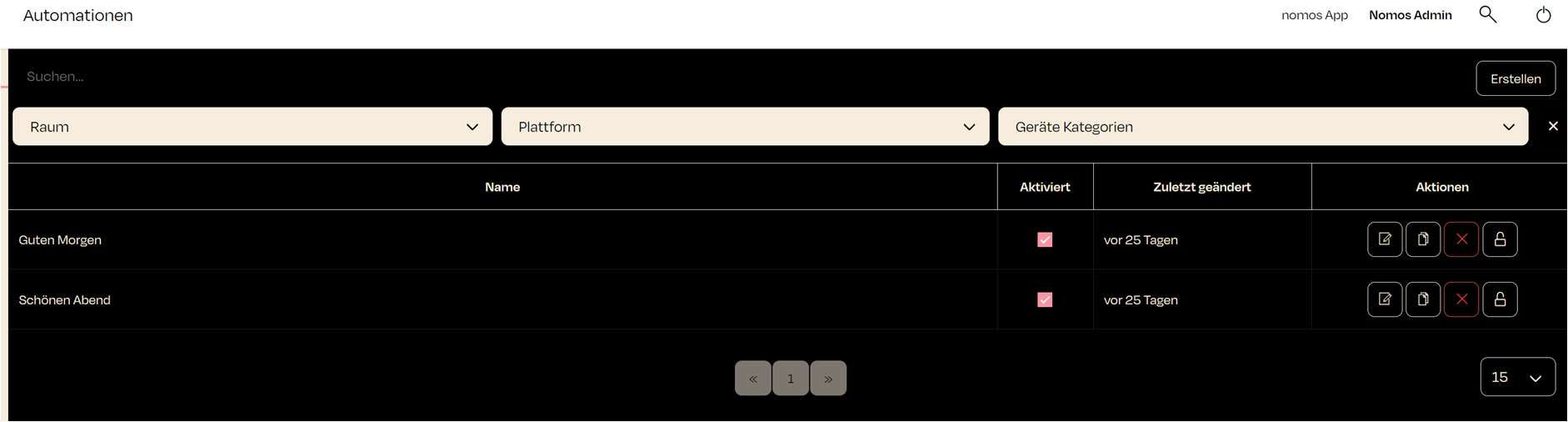
This view displays an overview of all created automations in the nomos system Controller. Each automation includes the following information:
- Name: The name of the created automation (e.g., „Guten Morgen“).
- Enabled: A checkmark indicates whether the automation is enabled.
- Last updated: Indicates when the automation was last edited.
- Actions:
- Edit (Pencil Icon): Opens the automation for editing.
- Duplicate (Double Document Icon): Creates a copy of the automation.
- Delete (Trash Can Icon): Deletes the automation.
- Lock (Lock Icon): Locks the automation to prevent further changes.
Additionally, you can create a new automation using the "New Automation" button in the top right corner.
You can also filter existing automations by room, platform, or device category.