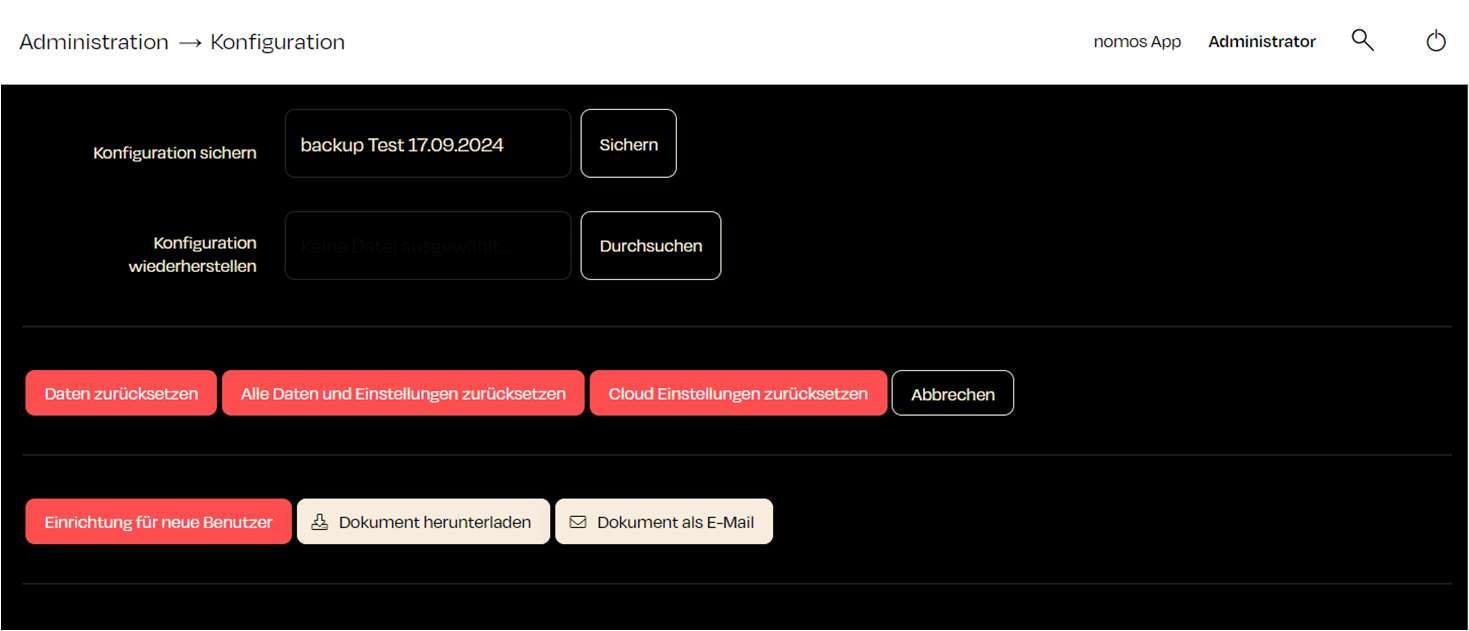
Configuration
Here, users can create backups, restore configurations, and reset data.
Functions:
- Backup Configuration:
- You can take a current backup of your configuration.
- Restore Configuration:
- Using the "Browse" button, you can select and restore a previously saved configuration file.
- The Controller's software must be at least as new as the software the backup was created with. If necessary, update the Controller before restoring.
- The backup must match the Controller's product profile, i.e. it must come from a Controller of the same product.
- After the restore, the Controller restarts. For security reasons, the Direct VPN is switched off and its VPN clients are deleted. Set it up again if needed.
- Reset Data:
- There are three options for resetting:
- Reset Data: Deletes all data of the installation, i.e. devices, rooms, users, scenes, automations and settings, as well as uploaded files and projects. Z-Wave and ZigBee controllers are reset, the installation is unregistered from the cloud and then restarts. The cloud account itself is kept.
- Reset all Data and Settings: Returns the Controller to its factory state. On restart, the entire data area is erased, so besides all data this also removes the system settings such as the network. Z-Wave and ZigBee controllers are reset. The installation is not unregistered from the cloud.
- Reset Cloud Settings: The controller's credentials for the nomos Cloud are deleted and created anew. If the Cloud was on, it connects again afterwards. After the prompt "Reset cloud settings?", the Cloud page opens. All other data is kept.
- There are three options for resetting:
- Users & Documents:
Setup for new User: Prepares the installation for handover to the customer. You set a new password for the "admin" user and choose how many new administrator and user accounts are created. The following is reset:
- The password of the "admin" user is replaced.
- The "guest" user is disabled.
- Existing users are deleted.
- New users with random passwords are created.
- All users are logged out.
- Remote access is reset, logged-in devices are deleted.
- All mobile devices for push notifications are deleted.
- The Matter bridge is reset: every ecosystem the Controller was paired with (e.g. Apple Home, Google Home) must be paired again. Matter devices paired with the Controller are kept.
Afterwards, a PDF document with the new credentials and the Matter pairing code is downloaded.
Download Document / E-Mail Document: Downloads the most recently created document again or sends it to an email address.
DANGER
Setup for new User cannot be undone. The passwords of the new users are only contained in the created document. Keep it in a safe place.
WARNING
Note:
Backing up and restoring the configuration is especially important for easy recovery after changes or in case of problems. Reset Data and Reset all Data and Settings permanently delete the entire configuration. Create a backup first.