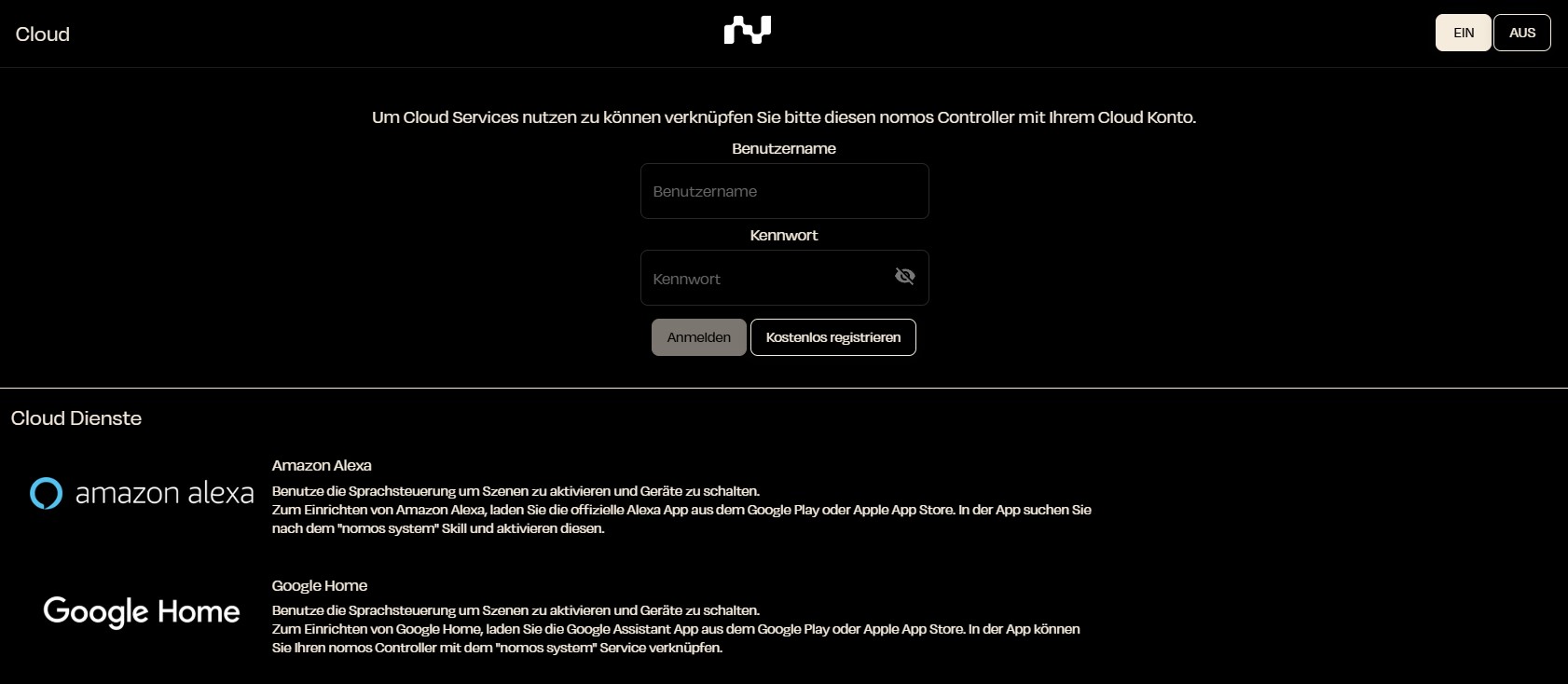
Cloud
The cloud integration in the nomos system allows you to connect the nomos system Controller with various cloud services to enjoy advanced features like voice control or automated actions.
Connecting a Cloud Account
To use cloud services like Amazon Alexa and Google Home, you need to link your nomos system Controller with a cloud account. Here are the steps to do this:
- Username: Enter your cloud username.
- Password: Enter your corresponding password.
- Sign In: Click on "Sign In" to establish the connection. If you don’t have an account yet, you can create a new one by clicking on "Sign up for free".
Cloud Services
At the bottom of the page, you will see various supported cloud services:
- Amazon Alexa: Use voice control to activate scenes and switch devices. To set up Alexa, download the official Amazon Alexa app and search for the "nomos" skill.
- Google Home: Similar to Alexa, you can use voice commands with Google Home. Download the Google Home app and activate the "nomos" service.
Settings
Once you have successfully connected your nomos system Controller to a cloud service, you can manage it through the interface and create individual automations.