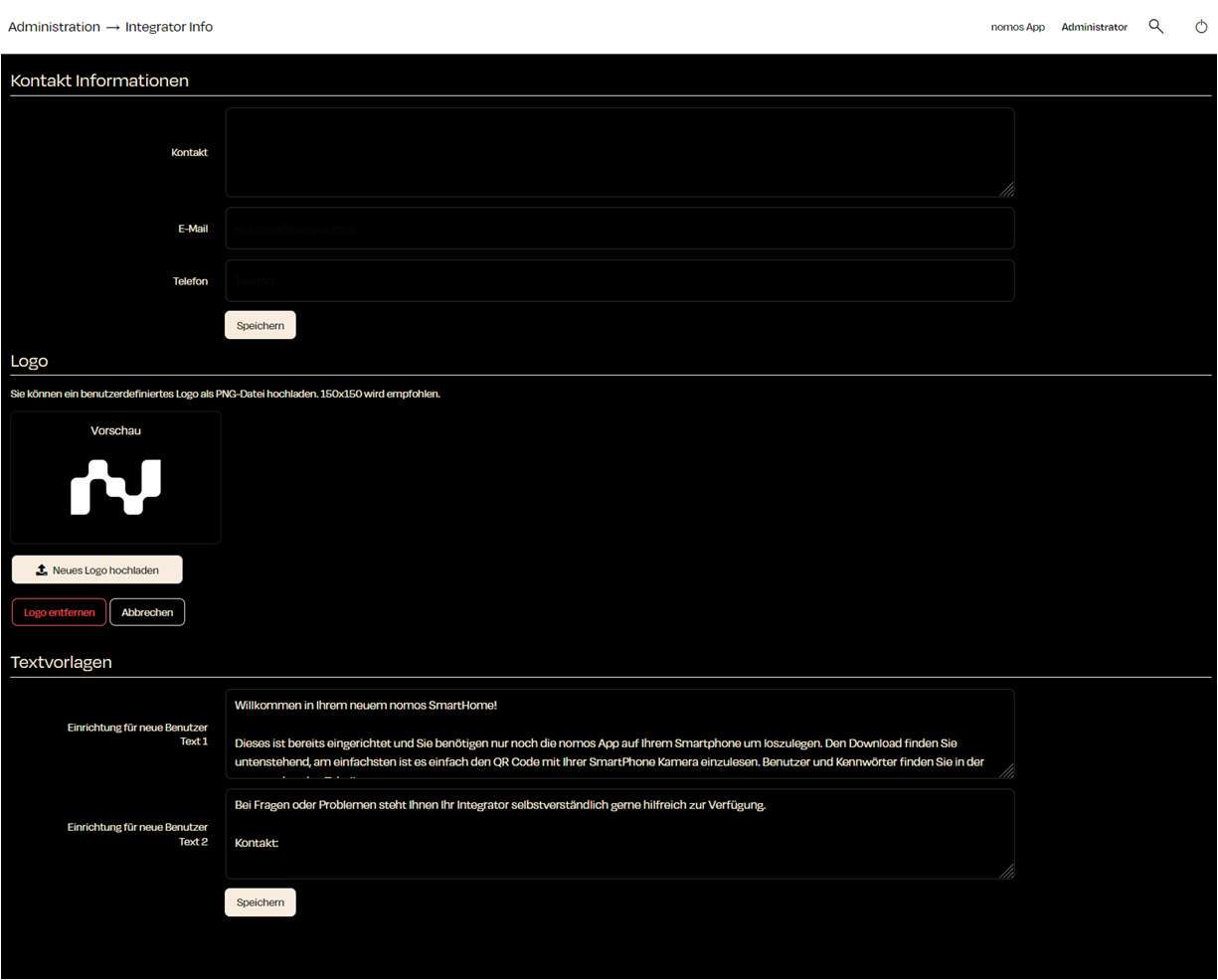
Integrator Info
Functions:
Contact Information:
- Contact: Enter the name of the integrator or the company.
- E-Mail: Provide an email address to reach the integrator.
- Phone: Add a phone number for support.
- Klick "Save" to save the information.
Accent Color:
- Set an accent color for the nomos app. Choose a predefined color scheme or pick any brand color via Custom color.
- This color is suggested to app users on their first login. Users can still change it in the app at any time.
Logo:
- Here you can upload a custom logo (in PNG format). It is recommended to use a file size of 150x150.
Text Templates:
- Setup for New Users - Text 1: Here you can add a welcome message and instructions for new users that will help them set up their SmartHome system.
INFO
Note:
This section is important to provide end-users with the integrator's contact information. This way, users can directly contact the responsible system integrator in case of issues or inquiries.