MQTT
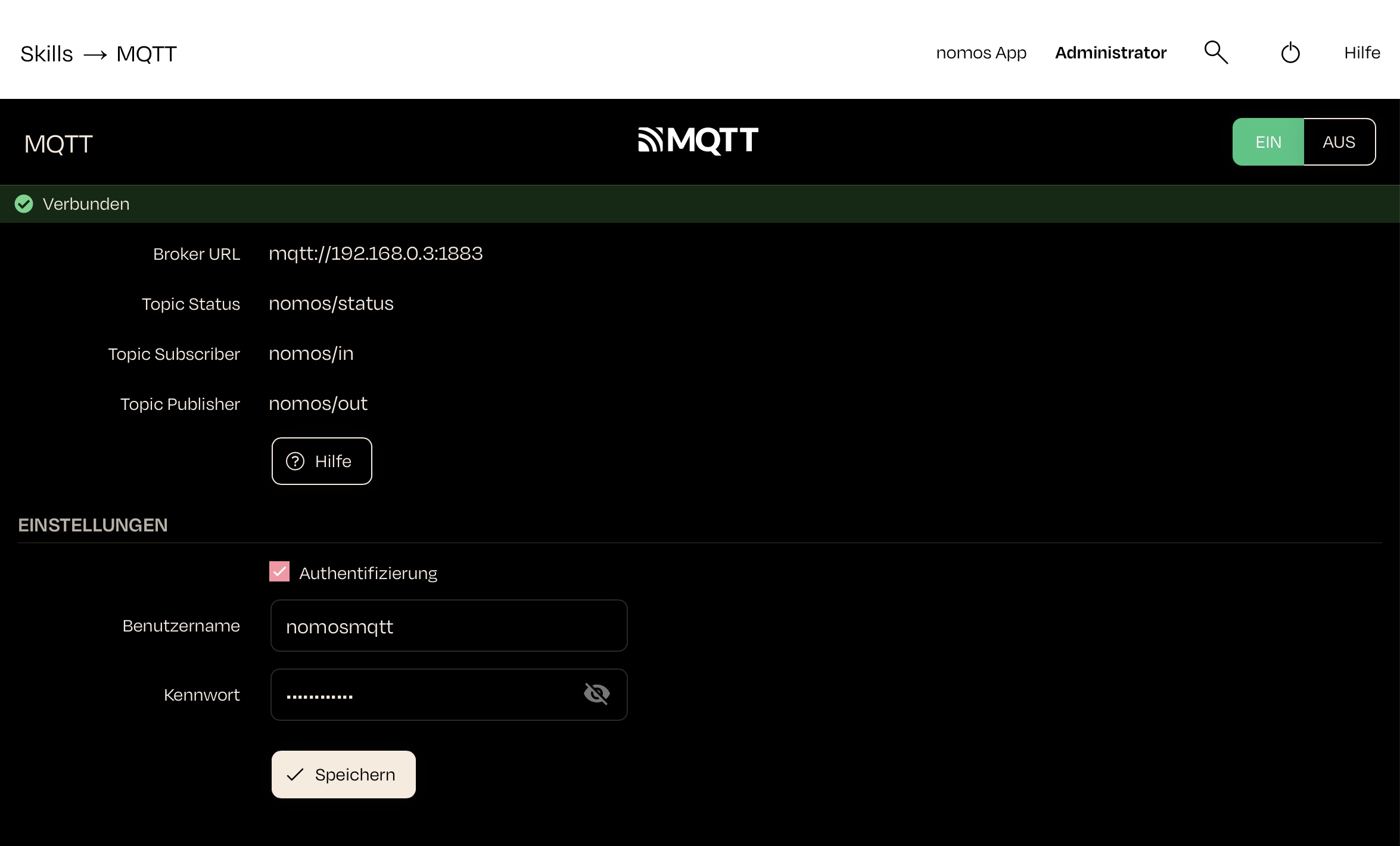
Here you can find the MQTT page within the nomos system Controller, showing the status of the built-in MQTT broker and letting you configure authentication for your own MQTT clients.
Status:
- Broker URL: Displays the address to point your own MQTT client at, i.e. the controller's address in the network (e.g., mqtt://192.168.0.199:1883).
- Status: Shows the connection status of the broker..
- Topic Status: Displays the status of the assigned topics (message channels).
- Topic Subscriber: Number and details of clients receiving messages from a specific topic.
- Topic Publisher: Number and details of clients sending messages to a specific topic.
Help:
- Clicking on the help button provides assistance with configuration or issues regarding the MQTT connection.
Settings:
- Authentication: Here you can configure the login your own MQTT client uses to connect to the broker. Leaving it empty allows connections without authentication.
Usage Notes:
- MQTT is a lightweight messaging protocol specifically optimized for connections with minimal data traffic and low latency. It is widely used in the Smart Home sector to exchange messages between devices.
- The MQTT broker acts as a central unit to distribute messages between clients (devices).
- The controller always uses its own built-in MQTT broker; an external broker cannot be configured.