KNX
With the KNX integration, you can manage and control all your KNX-based devices through the nomos system Controller.
Getting Statred:
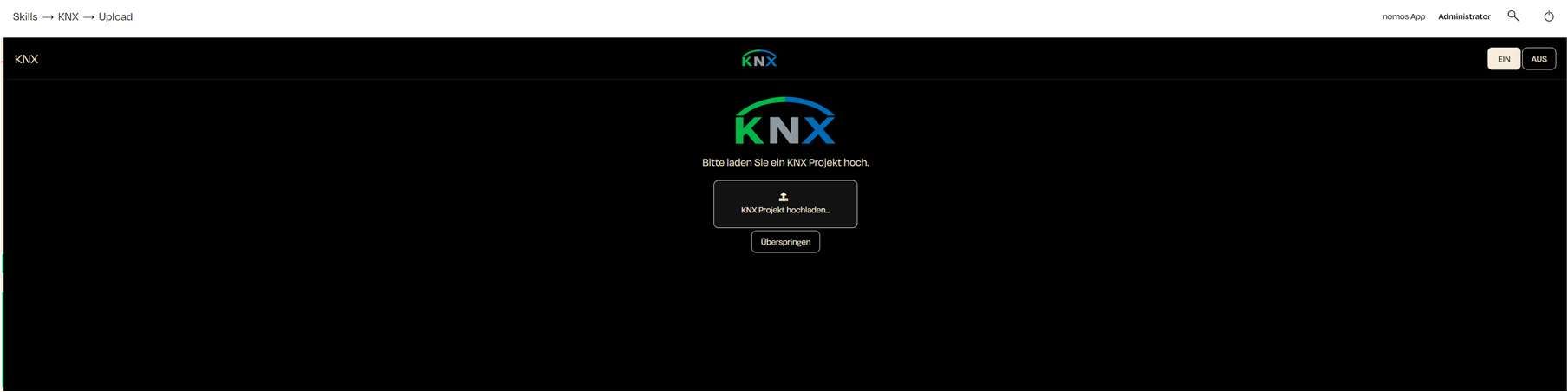
Upload Prompt:
- You will see the message: "Please upload your KNX This is necessary to import the KNX configuration you created in your ETS tool into the nomos system Controller.
Upload KNX Project:
- Click on the "Upload KNX Project" button to select and upload the relevant KNX project file (.knxproj) from your computer.
- This file contains all the important KNX information that needs to be integrated into the system.
Skip Step:
- If you want to upload the KNX project later, you can click "Skip" and complete this step at a later time.
INFO
Important Notes:
- It is important that you have correctly exported your KNX project (data type, etc.) before uploading it here. Otherwise, important information may be missing in the nomos integration.
- After uploading, the system will automatically analyze the configuration file and integrate the KNX group addresses according to your configuration.