Assign Rooms to a Zone
After creating a new zone in the nomos system Controller, you can assign rooms to this zone to establish a clear structure. This is particularly helpful for organizing large installations or complex buildings.
Managing Rooms within a Zone:
Add Rooms to a Zone:
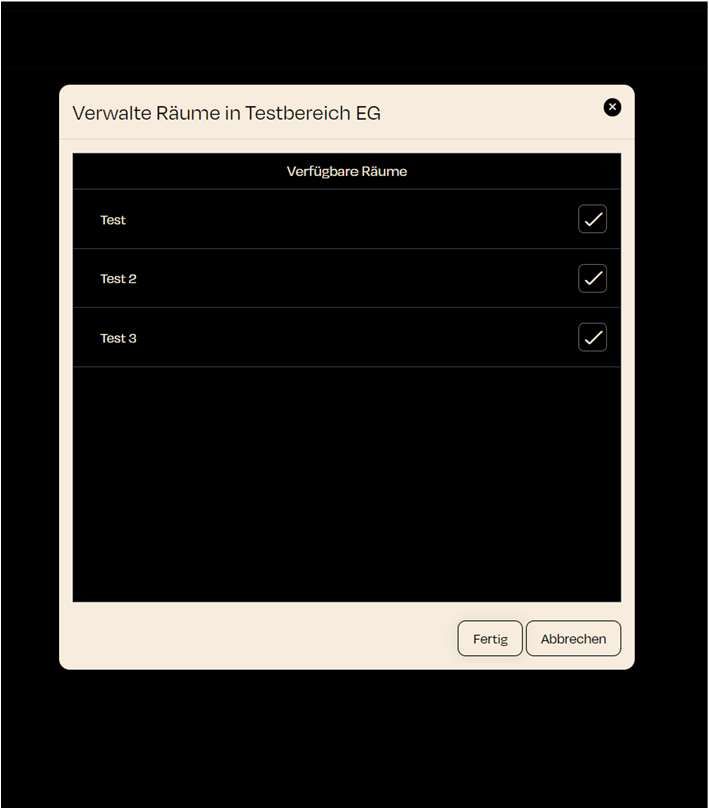
- Click the "Manage Rooms" button next to a zone to open a dialog window displaying all available rooms.
- Each room not yet assigned to a zone will appear in this list.
Select Available Rooms:
- In the list, you'll see the available rooms that can be assigned to the zone. Each room has a checkbox on the right.
- Step: Check the boxes next to the rooms you want to add to the zone.
Confirm Selection:
- After selecting the desired rooms, click "Done" to complete the assignment.
- The selected rooms will then be assigned to the zone and can be further organized through zone management.