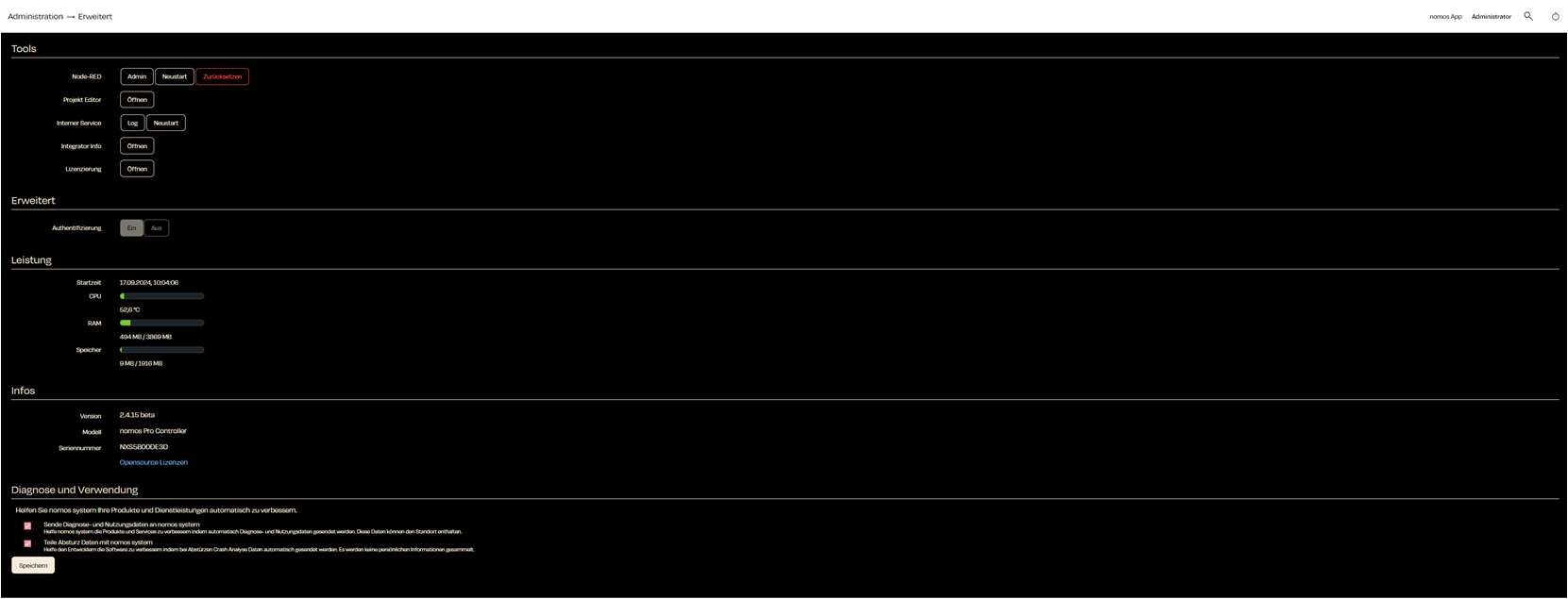
Advanced
„Advanced“ provides you with deeper insights and control over the advanced features of the nomos system Controller. This menu is mainly intended for administrators who need access to diagnostics and system settings.
Tools / Node-RED
- This is a powerful visual development environment that allows you to create and manage automations and workflows on the nomos system Controller.
- Admin: Opens the Node-RED admin interface.
- Restart: Restarts the Node-RED service.
- Reset: Resets all settings and configurations of Node-RED.
- This is a powerful visual development environment that allows you to create and manage automations and workflows on the nomos system Controller.
Tools / Project Editor
- Opens the project editor for more in-depth configurations and customizations of the system.
Tools / Internal Service
- Allows management of the internal internet service, including log views.
Tools / Integrator Info
- This area allows for the provision of specific information from the integrator that is visible to users.
Tools / Licensing
- Displays information about your license and allows for license management.
Performance
Shows the current performance data of the system:- Start time: Indicates the last start time of the controller.
- CPU: Displays the current temperature of the CPU.
- RAM: Shows the current usage of RAM.
- Storage: Indicates the used storage space on the system drive.
Info
- Version: Displays the current software version.
- Model: Shows the model of the nomos system Controller.
- Serial number: Indicates the serial number of the controller.
- Opensource Lizenzen: Links to the open-source licenses used.
Usage Recording
The controller learns how the installation is operated so it can suggest scenes and automations. What is recorded stays on the controller — the only thing that ever leaves it is what the language-model option below sends, and only for as long as that option is on.- Record how devices are used: Turns the recording on or off. With it off nothing is recorded and no suggestions can be made.
- Let a language model phrase the suggestions: Only affects the wording. For it, the device name, its room and the reason for a suggestion are sent to the nomos cloud and passed on to the language model provider; nothing else leaves the controller. Turning it off keeps the suggestions, worded by the system itself.
- Report when something unusual is recorded: Decides whether a finding is reported at all. With it on, the message always appears in the notification list; the recipients below additionally receive it by push or e-mail. With it off nothing is reported, whoever is listed.
- Notify these recipients as well: Push recipients and e-mail addresses for the same message. Leaving both empty does not switch the report off — the message still appears in the notification list.
- Delete recorded data: Removes everything recorded so far. The settings and the per-user choices are kept.
Diagnostics and Usage
This section provides options to help nomos by sharing diagnostic data:- Send diagnostics and usage data to nomos system: Allows nomos to automatically collect error reports and usage statistics.
- Share crash data with nomos system: sends information on software crashes to nomos to help improve stability.