

Devices
All devices at a glance, operating and sorting them.
Under Devices you find all the devices in your home, sorted by type: Lighting, Fans, Window Coverings, Vehicles and so on.
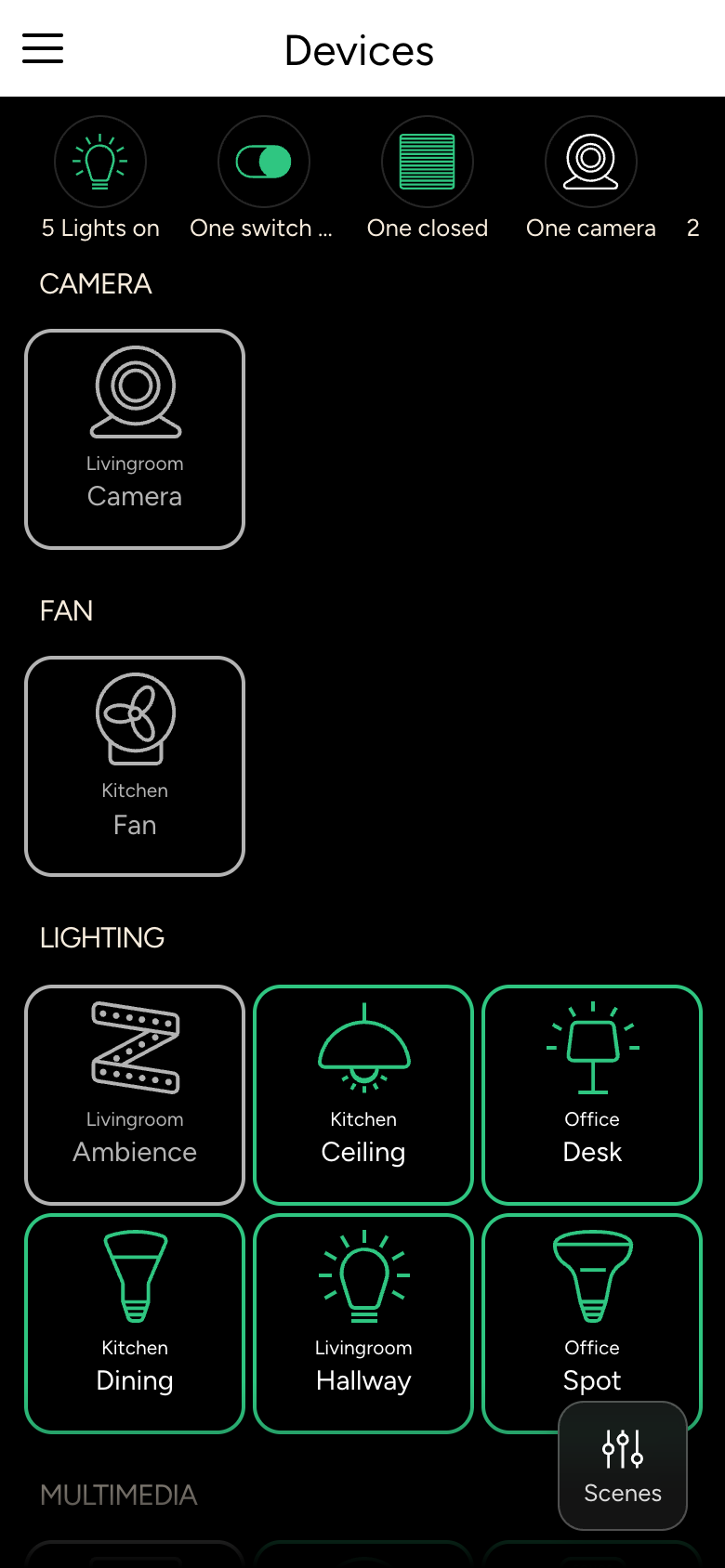
Tiles
Each tile shows the room, the name and the current state of the device. Devices that are switched on are highlighted.
- Tap to open the device's details. There you can operate it fully, see Controlling devices.
- With Single Touch Operation, a tap switches the device on or off directly; you then open the details with a long press. You find this setting in the app settings.
Special states
| Display | Meaning |
|---|---|
| Not reachable | The Controller cannot reach the device, for example because it has no power or is out of radio range. |
| Malfunction | The device reports an error. |
If the state persists, contact your integrator.
In the details
At the top of a device's details you find:
- the Room: tap it to go to the room,
- the heart, to add the device to your favorites,
- the Notifications for this device,
- the Statistics, if measurements are recorded.
If your integrator has made a room view-only for you, you can see the devices there but cannot switch them.