> For the complete documentation index, see [llms.txt](https://documentation.nomos-system.com/nomos-system/llms.txt). Markdown versions of documentation pages are available by appending `.md` to page URLs; this page is available as [Markdown](https://documentation.nomos-system.com/nomos-system/integratore-it/stanze/creare-stanza.md).
# Creare stanza
Per organizzare meglio i dispositivi e le funzioni all'interno del nomos system Controller, è possibile aggiungere nuove stanze. Questo consente una panoramica strutturata e semplifica la gestione delle automazioni e dei dispositivi.
**Aggiungere una nuova stanza:**
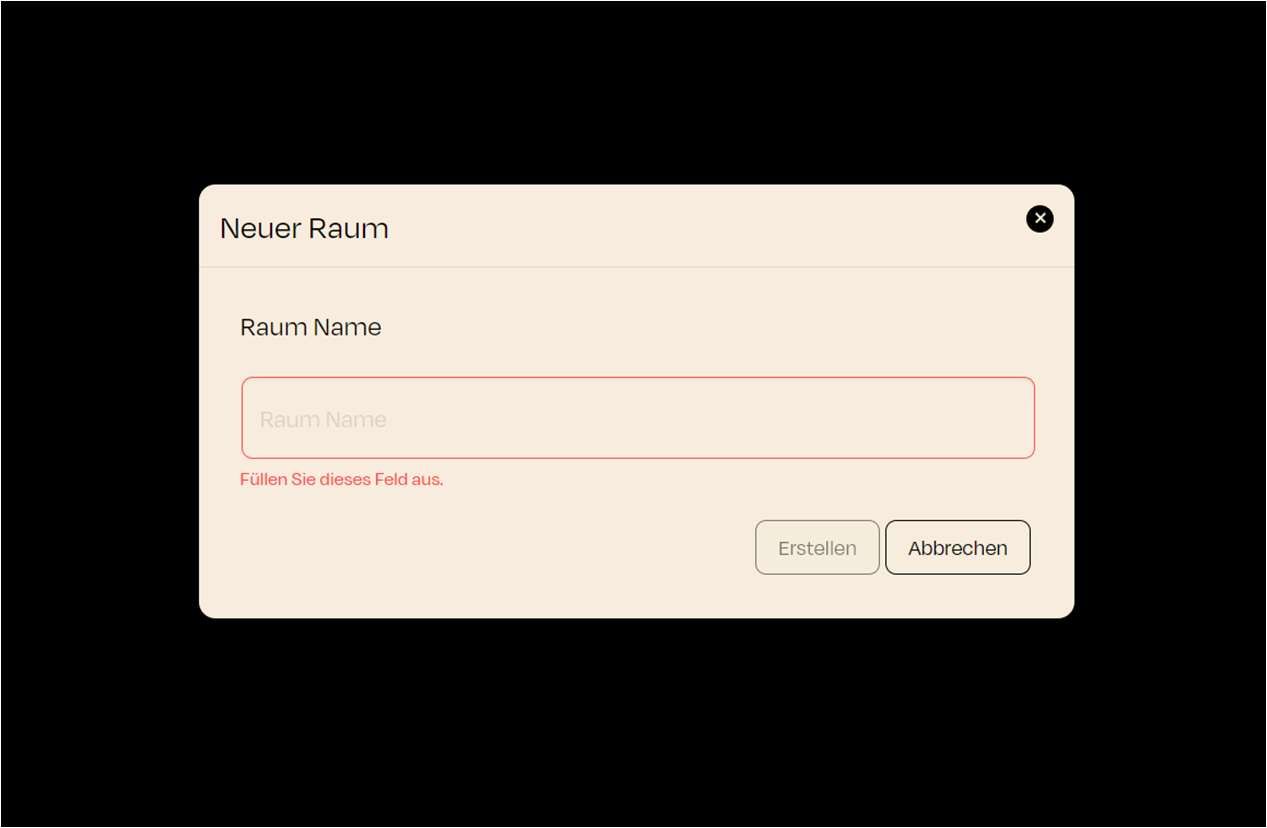
* Cliccando il pulsante "Nuova Stanza" si apre una finestra di dialogo in cui è possibile inserire il nome della nuova stanza.
Passaggi per creare una stanza:
1. Nome della stanza:
* Appare un campo di testo che richiede di dare un nome alla stanza. Inserisca qui il nome desiderato per la stanza.
* Una volta inserito il nome, clicchi il pulsante "**Crea**" per aggiungere la stanza.
* La stanza appena creata apparirà ora nell'elenco delle stanze ed è pronta per l'assegnazione dei dispositivi/oggetti desiderati.
**Le stanze La aiutano a organizzare dispositivi e automazioni. Ogni stanza può contenere automazioni e scene specifiche che si applicano ai dispositivi ad essa assegnati.**
---
# Agent Instructions
This documentation is published with GitBook. GitBook is the documentation platform designed so that both humans and AI agents can read, navigate, and reason over technical content effectively. Learn more at gitbook.com.
## Querying This Documentation
If you need additional information that is not directly available in this page, you can query the documentation dynamically by asking a question.
Perform an HTTP GET request on the current page URL with the `ask` query parameter, and the optional `goal` query parameter:
```
GET https://documentation.nomos-system.com/nomos-system/integratore-it/stanze/creare-stanza.md?ask=&goal=
```
`ask` is the immediate question: it should be specific, self-contained, and written in natural language.
`goal` is optional and describes the broader end goal you are ultimately trying to accomplish on behalf of the user. GitBook uses it to tailor the answer towards what is most useful for that goal.
The response will contain a direct answer to the question and relevant excerpts and sources from the documentation.
Use this mechanism when the answer is not explicitly present in the current page, you need clarification or additional context, or you want to retrieve related documentation sections.