> For the complete documentation index, see [llms.txt](https://documentation.nomos-system.com/nomos-system/llms.txt). Markdown versions of documentation pages are available by appending `.md` to page URLs; this page is available as [Markdown](https://documentation.nomos-system.com/nomos-system/integrator-nl/administratie/geavanceerd/node-red.md).
# Node-RED
**Toegang en Aanmelding:**
De interface is toegankelijk via een eigen aanmeldscherm, waar de gebruikersnaam en het wachtwoord van de integrator moeten worden ingevoerd.
**Functies:**
Node-RED biedt de volgende mogelijkheden:
* **Creëren van automatiseringsstromen** met eenvoudige drag-and-drop-elementen.
* **Beheer van verbindingen en datastromen** tussen verschillende apparaten en diensten binnen het nomos-systeem.
* **Integratie van API's en externe diensten** voor uitgebreide automatiseringen en scenario's.
{% hint style="warning" %}
**Belangrijke Opmerking:**
De configuratie en het gebruik van **Node-RED** mogen uitsluitend worden uitgevoerd door opgeleide **integratoren**. Verdiepende vakkennis is vereist om het systeem correct en veilig te configureren.
{% endhint %}
**Node-RED Interface**
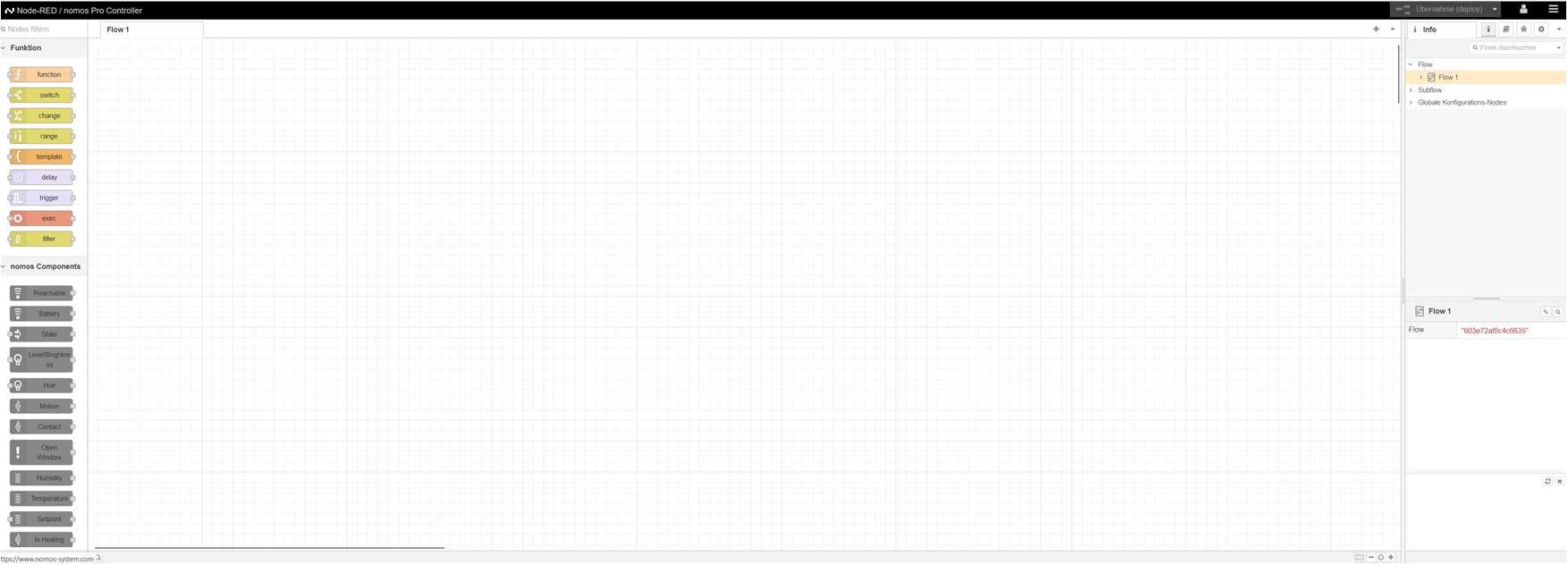
Hier ziet u de hoofdinterface van **Node-RED** wanneer een gebruiker toegang heeft tot het gebied. Hier kunnen integratoren verschillende **stromen en automatiseringen** maken.
**Functies van de Node-RED-interface**:
* **Linker kolom:** Lijst van beschikbare **functies en nomos-componenten** (zoals bewegingssensoren, temperatuursensoren, raamcontacten), die met drag-and-drop in de stroom kunnen worden geplaatst.
* **Rechter gebied:** Informatie over de huidige **stroom** en de configuratie ervan.
* **Centrale werkruimte:** Plaats waar de **stromen en automatiseringen** worden gemaakt en geconfigureerd. Verschillende blokken (nodes) kunnen hier worden verbonden om geautomatiseerde processen te creëren.
{% hint style="warning" %}
**Opmerking:**
* **Belangrijke opmerking:** Dit gereedschap is uitsluitend bedoeld voor integratoren die ervaring hebben met automatiserings- en programmeringsprocessen. Onoplettendheid kan leiden tot storingen.
{% endhint %}
---
# Agent Instructions
This documentation is published with GitBook. GitBook is the documentation platform designed so that both humans and AI agents can read, navigate, and reason over technical content effectively. Learn more at gitbook.com.
## Querying This Documentation
If you need additional information that is not directly available in this page, you can query the documentation dynamically by asking a question.
Perform an HTTP GET request on the current page URL with the `ask` query parameter, and the optional `goal` query parameter:
```
GET https://documentation.nomos-system.com/nomos-system/integrator-nl/administratie/geavanceerd/node-red.md?ask=&goal=
```
`ask` is the immediate question: it should be specific, self-contained, and written in natural language.
`goal` is optional and describes the broader end goal you are ultimately trying to accomplish on behalf of the user. GitBook uses it to tailor the answer towards what is most useful for that goal.
The response will contain a direct answer to the question and relevant excerpts and sources from the documentation.
Use this mechanism when the answer is not explicitly present in the current page, you need clarification or additional context, or you want to retrieve related documentation sections.